Part 1: Getting Started
What This Kit Does
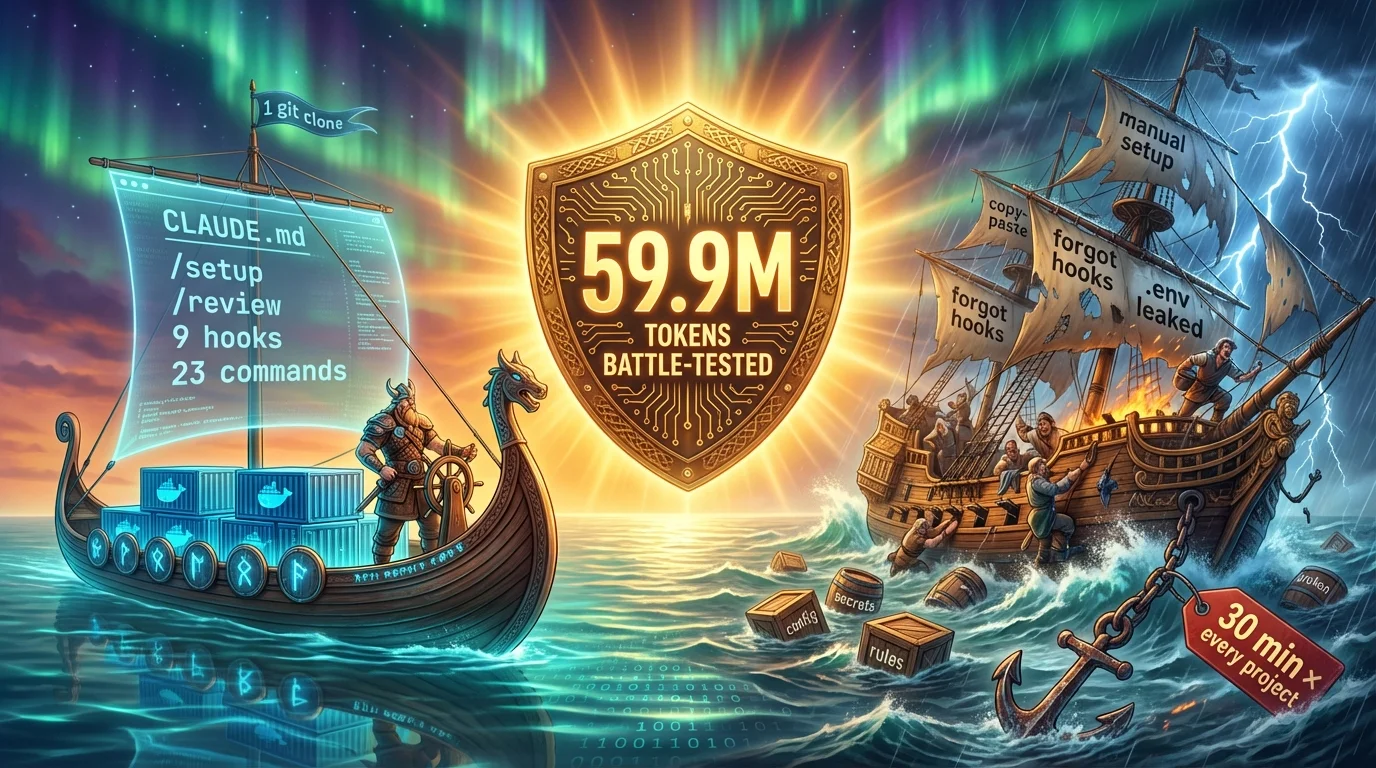
The Claude Code Starter Kit is a scaffold template that supercharges Claude Code with battle-tested rules, automated enforcement, and on-demand tools. Think of it as a senior engineer's playbook, encoded into files that Claude reads and follows:
CLAUDE.md
Tells Claude what rules to follow
9 Hooks
Enforce those rules automatically
25 Commands
On-demand tools for common tasks
Skills & Agents
Specialized work triggered automatically
Decision Tree: Which Path Is Right for You?
Are you starting a brand new project?
├── YES → Use /new-project
│   ├── Full opinions (TypeScript, ports, quality gates)?  → /new-project my-app default
│   ├── Just AI tooling, zero coding opinions?             → /new-project my-app clean
│   ├── Building a Go API?                                 → /new-project my-api go
│   └── Building a Python API?                             → /new-project my-api python-api
│
├── NO → Do you have an existing project?
│   └── YES → /convert-project-to-starter-kit ~/projects/my-app
│
└── Want to customize the template itself?
    └── Clone the repo, modify commands/hooks/rules
Tutorial: Your First Project in 5 Minutes
Install global config (one time only)
/install-globalMerges security rules and hooks into ~/.claude/. Never overwrites existing config.
Create your project
/new-project my-app clean          # Zero opinions
/new-project my-app default # Full stack: Next.js + MongoDB + TailwindEnter and configure
cd ~/projects/my-app
/setup # Configure .env interactivelyStart building
claudeThat's it. Claude now has all rules, hooks, and commands ready to go.
What Got Created
After /new-project my-app clean, here's what's in your project:
my-app/
├── .claude/
│   ├── commands/       ← 26 slash commands (16 project + 10 kit management)
│   ├── skills/         ← Auto-triggered expertise
│   ├── agents/         ← Specialist subagents
│   ├── hooks/          ← 9 enforcement scripts
│   └── settings.json   ← Hooks wired to lifecycle
├── project-docs/       ← ARCHITECTURE, INFRASTRUCTURE, DECISIONS
├── tests/              ← CHECKLIST, ISSUES_FOUND
├── CLAUDE.md           ← The rules Claude follows
├── CLAUDE.local.md     ← Your personal preferences (gitignored)
├── .env                ← Secrets (never committed)
├── .env.example        ← Template with placeholders
└── .gitignore          ← Includes .env, CLAUDE.local.md
Part 2: Daily Workflow
The Development Loop
Write Code
Claude follows CLAUDE.md
Review
/review
Fix Issues
Critical & Warning
Commit
/commit
Repeat
Next feature
When to /clear and Start Fresh
/clear between unrelated tasks.
Working with Branches
Auto-branch is ON by default. Every command that modifies code automatically creates a feature branch when it detects you're on main. If Claude screws up — just delete the branch. Main was never touched.
# For parallel sessions in separate directories:
/worktree add-auth        # Creates branch + separate working directory
/worktree add-payments    # Another isolated workspace
Part 3: Commands Deep Dive
All 26 commands (16 project + 10 kit management) grouped by category with real examples.
Getting Started
/help
Lists every command, skill, and agent grouped by category. Run this whenever you forget what's available.
/quickstart
Interactive first-run walkthrough. Checks global config, asks for project name and profile, walks you through scaffolding and first build.
/install-global
One-time setup: installs global CLAUDE.md, settings.json, and hooks into ~/.claude/. Smart merge — never overwrites.
/setup
Interactive .env configuration — database, GitHub, Docker, analytics, RuleCatch. Supports multi-region. Use --reset to reconfigure.
/show-user-guide
Opens this user guide in your browser. Tries GitHub Pages first, falls back to local file.
Code Quality
/review
Systematic 7-point code review: security, types, errors, performance, testing, database, API versioning. Issues reported with Critical/Warning/Info severity.
/refactor <file>
Audit + refactor against every CLAUDE.md rule. Checks file size, function size, types, imports, errors, database, and security. Presents a plan first.
/commit
Smart commit with conventional format. Reviews staged changes, generates type(scope): description messages. Warns on multi-concern changes.
/security-check
Scans for secrets in code, .gitignore gaps, sensitive files in git, .env handling, and dependency vulnerabilities.
Scaffolding
/new-project
Full project scaffolding with profiles: clean, default, api, go, python-api, vue, nuxt, sveltekit, django, and more.
/create-api <resource>
Scaffold types, handler, route, and tests for a complete API endpoint. Uses StrictDB, auto-sanitization, and /api/v1/ prefix.
/create-e2e <feature>
Generate a Playwright E2E test with happy path, error cases, and edge cases. Reads source code to identify what to verify.
/convert-project-to-starter-kit
Non-destructive merge of all starter kit infrastructure into an existing project. Creates safety commit first. Undo with git revert HEAD.
/update-project
Smart-merge the latest starter kit commands, hooks, skills, agents, and rules into an existing project. Shows a diff report before applying. Creates a safety commit for easy undo.
/add-feature <name>
Add capabilities (StrictDB, Docker, testing, etc.) to an existing project after scaffolding. Idempotent — safely updates already-installed features. Maintains a feature manifest so /update-project can sync feature files too.
Infrastructure
/diagram
Generate ASCII diagrams from actual code: architecture, api, database, infrastructure, or all.
/architecture
Display system architecture and data flow from project-docs/ARCHITECTURE.md.
/optimize-docker
Audit Dockerfile against 12 best practices. Generates optimized version with before/after size comparison.
Project Management
/progress
Project status snapshot — file counts, test coverage, recent git activity, and prioritized next actions.
/test-plan
Generate a structured test plan with prerequisites, happy path, error cases, edge cases, and pass/fail criteria.
/worktree <name>
Create an isolated git worktree + branch. Enables parallel Claude sessions without conflicts.
/what-is-my-ai-doing
Launch live AI monitor in a separate terminal. Free mode — no API key needed. Shows tool calls, tokens, cost, and file access.
Meta
/set-project-profile-default
Set the default profile for /new-project. Accepts any profile name or a custom combo.
/add-project-setup
Interactive wizard to create a named profile in claude-mastery-project.conf.
/projects-created
List all projects scaffolded by /new-project with creation date, profile, language, and location.
/remove-project <name>
Remove a project from registry and optionally delete from disk. Shows details first, asks for confirmation.
Part 4: Hook System Explained
Hooks are shell/python scripts that run automatically at specific lifecycle points. Unlike CLAUDE.md rules (suggestions), hooks are guaranteed to run.
The Lifecycle
┌─────────────────────────────────────────────┐
│  PreToolUse — BEFORE Claude uses a tool     │
│  Can BLOCK the action (exit code 2)         │
│                                             │
│  → block-secrets.py (Read/Edit/Write)       │
│  → check-rybbit.sh  (Bash - deploy)         │
│  → check-branch.sh  (Bash - git commit)     │
│  → check-ports.sh   (Bash - dev servers)    │
│  → check-e2e.sh     (Bash - git push)       │
├─────────────────────────────────────────────┤
│  PostToolUse — AFTER Claude uses a tool     │
│  Informational only                         │
│                                             │
│  → lint-on-save.sh   (Write)                │
├─────────────────────────────────────────────┤
│  Stop — When Claude FINISHES a turn         │
│  Can warn, typically doesn't block          │
│                                             │
│  → verify-no-secrets.sh                     │
│  → check-rulecatch.sh                       │
│  → check-env-sync.sh                        │
└─────────────────────────────────────────────┘
Each Hook Explained
block-secrets.py
PreToolUse: Read|Edit|Write — Blocks Claude from reading or editing sensitive files: .env, credentials.json, SSH keys, .npmrc.
check-branch.sh
PreToolUse: Bash — Blocks git commit on main/master when auto-branch is enabled. Create a feature branch first.
check-rybbit.sh
PreToolUse: Bash — Blocks deployment if Rybbit analytics isn't configured. Skips projects that don't use Rybbit.
check-ports.sh
PreToolUse: Bash — Blocks dev server start if the target port is already in use. Shows PID + kill command.
check-e2e.sh
PreToolUse: Bash — Blocks git push to main if no E2E tests exist in tests/e2e/.
lint-on-save.sh
PostToolUse: Write — Auto-lints after file writes: tsc for TypeScript, eslint for JS, ruff for Python.
verify-no-secrets.sh
Stop — Scans staged files for API key patterns, AWS credentials, and credential URLs.
check-rulecatch.sh
Stop — Reports RuleCatch violations. Skips silently if RuleCatch isn't installed.
check-env-sync.sh
Stop — Warns when .env has keys that .env.example doesn't document. Informational only.
Creating Custom Hooks
#!/bin/bash
# .claude/hooks/my-custom-hook.sh
INPUT=$(cat)
COMMAND=$(echo "$INPUT" | python3 -c "import sys,json; print(json.load(sys.stdin).get('tool_input',{}).get('command',''))" 2>/dev/null)

if echo "$COMMAND" | grep -q "something-dangerous"; then
    echo "BLOCKED: Reason for blocking" >&2
    exit 2  # Block the operation
fi
exit 0  # Allow
Wire it in .claude/settings.json under the appropriate lifecycle event and matcher.
Part 5: StrictDB Database Layer
Why StrictDB Exists
Reading Data
import { StrictDB } from 'strictdb';

const db = StrictDB.getInstance();

// Single document (works with MongoDB, PostgreSQL, SQLite, etc.)
const user = await db.queryOne<User>('users', { email: 'test@example.com' });

// Filtered query with options (filter, then options object)
const recentOrders = await db.queryMany<Order>('orders',
  { userId, status: 'active' },
  { sort: { createdAt: -1 }, limit: 20 },
);

// Join across collections/tables
const userWithOrders = await db.queryWithLookup<UserWithOrders>('users', {
  match: { _id: userId },
  lookup: { from: 'orders', localField: '_id', foreignField: 'userId', as: 'orders' },
  unwind: 'orders',
});

// Count
const total = await db.count('users', { role: 'admin' });
Writing Data
import { StrictDB } from 'strictdb';

const db = StrictDB.getInstance();

await db.insertOne('users', { email, name, createdAt: new Date() });
await db.insertMany('events', batchOfEvents);

// Use $inc for counters — NEVER read-modify-write
await db.updateOne<Stats>('stats', { date }, { $inc: { pageViews: 1 } }, true);

// Batch operations (array of typed operations)
await db.batch([
  { operation: 'updateOne', collection: 'sessions', filter: { sessionId }, update: { $inc: { events: 1 } } },
  { operation: 'deleteOne', collection: 'tokens', filter: { token: expiredToken } },
]);

await db.deleteOne('tokens', { token: expiredToken });
AI-First Discovery
import { StrictDB } from 'strictdb';

const db = StrictDB.getInstance();

// Discover schema — fields, indexes, document count
const schema = await db.describe('users');

// Dry-run validation — catches errors before execution
const check = await db.validate('users', { doc: { email: 'test@test.com' } });

// See the native query that would run
const plan = await db.explain('users', { filter: { role: 'admin' }, limit: 50 });Graceful Shutdown
import { StrictDB } from 'strictdb';

const db = StrictDB.getInstance();

// Closes all database connections (MongoDB, PostgreSQL, SQLite, etc.)
process.on('SIGTERM', () => db.gracefulShutdown(0));
process.on('SIGINT', () => db.gracefulShutdown(0));
process.on('uncaughtException', (err) => {
  console.error('Uncaught Exception:', err);
  db.gracefulShutdown(1);
});
Part 6: CLAUDE.md Customization
Team File vs Personal File
CLAUDE.md — Team Rules
Checked into git. Everyone on the team follows these. Contains coding standards, quality gates, database rules, testing requirements.
CLAUDE.local.md — Personal
Gitignored. Only affects you. Contains communication style, testing preferences, custom shortcuts, deployment preferences.
Adding Your Own Rules
Use strong language — Claude responds to NEVER and ALWAYS more consistently than “try to” or “prefer”:
### Rule 11: Always Use Relative Imports

- NEVER use absolute paths in imports
- ALWAYS use relative paths from the current file
- This prevents path mapping issues across environments
The Feedback Loop
Mistake
Claude breaks a rule
Fix
You correct it
Rule
Update CLAUDE.md
Improvement
Mistake rate drops
Every mistake is a missing rule. Don't just fix bugs — fix the rules that allowed the bug. The file is checked into git, so the whole team benefits.
Part 7: Testing
Test Infrastructure
Unit & Integration (Vitest)
pnpm test:unit        # Run once
pnpm test:unit:watch  # Watch mode
pnpm test:coverage    # With coverage
E2E (Playwright)
pnpm test:e2e         # Full run
pnpm test:e2e:headed  # Visible browser
pnpm test:e2e:ui      # Debug UI
The 3-Assertion Minimum
Every E2E test must verify at least 3 things
// CORRECT — 3 explicit assertions
await expect(page).toHaveURL('/dashboard');              // 1. URL
await expect(page.locator('h1')).toBeVisible();         // 2. Element
await expect(page.locator('[data-testid="user"]'))
  .toContainText('test@example.com');                   // 3. Data

// WRONG — passes even if broken
await page.goto('/dashboard');
// no assertions!
Test Ports
Tests run on separate ports so you can develop and test simultaneously:
| Service | Dev Port | Test Port |
|---|---|---|
| Website | 3000 | 4000 |
| API | 3001 | 4010 |
| Dashboard | 3002 | 4020 |
Part 8: Deployment
Pre-Deployment Checklist
Analytics
Is NEXT_PUBLIC_RYBBIT_SITE_ID set with a site-specific ID?
Secrets
No API keys, passwords, or tokens in the codebase?
Tests
All tests passing? pnpm test
TypeScript
pnpm typecheck passes with zero errors?
Docker
Image tested locally? (if push gate enabled)
Branch
On a feature branch, not main?
Docker Multi-Stage Build
# Stage 1: Build
FROM node:20-alpine AS builder
WORKDIR /app
COPY package.json pnpm-lock.yaml ./
RUN corepack enable && pnpm install --frozen-lockfile
COPY . .
RUN pnpm build

# Stage 2: Production
FROM node:20-alpine AS runner
WORKDIR /app
RUN addgroup --system --gid 1001 nodejs && \
    adduser --system --uid 1001 appuser
COPY --from=builder /app/dist ./dist
COPY --from=builder /app/node_modules ./node_modules
COPY --from=builder /app/package.json ./
USER appuser
EXPOSE 3000
HEALTHCHECK --interval=30s --timeout=3s CMD wget -qO- http://localhost:3000/health || exit 1
CMD ["node", "dist/index.js"]
Docker Push Gate
Enable with docker_test_before_push = true in claude-mastery-project.conf. When enabled, no docker push is allowed until: build → run → wait 5s → verify running → health check 200 → clean logs → cleanup → push.
Part 9: Troubleshooting
Hooks not firing at all
Check .claude/settings.json is valid JSON. Verify hook files exist: ls -la .claude/hooks/. Restart Claude session.
Hook blocks unexpectedly
Read the error message. For branch check: set auto_branch = false. For Rybbit: set analytics = none. For secrets: use /setup instead.
Port already in use
Run lsof -i :3000 to find the PID, then kill -9 PID. Or: pnpm test:kill-ports
"Cannot find module" after moving files
Update all import references. Run pnpm typecheck to find broken imports. Check tsconfig.json path mappings.
Database connection timeout
Verify STRICTDB_URI in .env. For MongoDB Atlas, whitelist your IP. For PostgreSQL, check pg_hba.conf. Test connectivity with your database's CLI tool.
Too many open connections
You're creating direct database clients outside StrictDB. Always use import { StrictDB } from 'strictdb' and call methods on the instance.
"BLOCKED: You're on main"
Create a feature branch: git checkout -b feat/my-feature. Or disable: auto_branch = false in conf.
Extremely slow file operations (WSL)
Project is on /mnt/c/ — move to ~/projects/. Run pwd to check.
Playwright tests failing in WSL
Install deps: npx playwright install --with-deps. Ensure VS Code is in WSL mode.
Hot reload not working (WSL)
File watching doesn't work across Windows/Linux boundary. Move project to WSL filesystem.
E2E tests timing out
Kill stale processes: pnpm test:kill-ports. Run headed: pnpm test:e2e:headed. Check playwright.config.ts webServer.
"Target closed" or "Frame detached"
Page navigated before assertion completed. Add await page.waitForURL(...) before assertions.
pnpm dev fails or does nothing
This is a scaffold template. Use /new-project my-app first, then run pnpm dev inside that project.
/install-global reports conflicts
Normal. Smart merge keeps your existing sections, adds what's missing. Check the report for details.
RuleCatch not monitoring
Free mode needs no setup: pnpm ai:monitor. Full experience needs an API key from rulecatch.ai.
Connection works locally, fails in Docker
Container can't reach localhost. Use the actual database URI (e.g., MongoDB Atlas, remote PostgreSQL) and pass via STRICTDB_URI env var.
"pnpm: command not found"
Install: npm install -g pnpm or use corepack: corepack enable
Tests pass locally, fail in CI
Different browser versions — pin in config. Timeouts too short — increase. Flaky selectors — use data-testid.
"Type 'any' is not assignable"
The starter kit working as intended. Add proper type annotations or create a type in src/types/.
Merge conflicts after /worktree
Each worktree is isolated. Merge the branch normally: git merge task/add-auth from main.
Part 10: FAQ
Do I need all the MCP servers?
No. MCP servers are optional. The starter kit works fully without any. Install the ones that match your workflow.
Can I use JavaScript instead of TypeScript?
Yes. Use /new-project my-app clean for zero coding opinions. The default profile enforces TypeScript as a best practice, but clean lets you choose.
Can I use npm or yarn?
Yes. The default profile uses pnpm, but you can specify any package manager during /new-project or change it in the config.
How do I add my own slash commands?
Create a .md file in .claude/commands/. The filename becomes the command name. Add YAML frontmatter with description and allowed-tools.
Can I use Prisma or Mongoose?
The starter kit recommends StrictDB as the centralized database layer. For clean profile projects, use any ORM you prefer.
How do I switch from MongoDB to PostgreSQL?
StrictDB handles all backends. Set STRICTDB_URI=postgresql://... in .env — StrictDB auto-detects the driver from the URI scheme.
Why 3 assertions minimum?
One assertion can pass even if the page is broken. Three assertions verify URL, visible content, and data accuracy — catching real bugs.
Is the Docker push gate mandatory?
No, disabled by default. Enable with docker_test_before_push = true in claude-mastery-project.conf.
Is RuleCatch required?
No. Completely optional. The hook skips silently if not installed. Free monitor (pnpm ai:monitor) needs no API key.
How do I update the starter kit in an existing project?
Run /update-project — it picks from your registered projects, shows a diff report, and smart-merges only changed files. For first-time conversion, use /convert-project-to-starter-kit.
Does this work with monorepos?
Designed for single-project repos. For monorepos, use /convert-project-to-starter-kit on individual packages.
What does the free AI monitor show?
Every tool call, token usage per turn, cost per session, and which files Claude is accessing — all live in a separate terminal.
Why does /review sometimes miss issues?
It's a structured prompt, not a linter. Use it with /security-check and the lint-on-save hook. RuleCatch adds automated monitoring.
Do I need E2E tests for every feature?
The hook only blocks push to main if there are zero E2E tests. Focus on critical user flows.
Can I deploy to platforms other than Dokploy?
Yes. Supports Dokploy, Vercel, and static hosting (GitHub Pages, Netlify). Specify during /new-project.
Credits
This user guide is part of the Claude Code Starter Kit by TheDecipherist.
Based on the Claude Code Mastery Guide series (V1–V5).